

Until now, creating an event in Apollo meant posting it to Discord right away. For organizers who like to plan ahead, this meant either saving each event as a draft and remembering to publish it at the right time, or waiting and creating events in the moment. We wanted a third option.
We’re excited to announce scheduled event posts. You can now pick when an event gets posted to Discord during event creation — whether that’s later today, next Tuesday morning, or the first of next month.
A new tab for scheduled posts
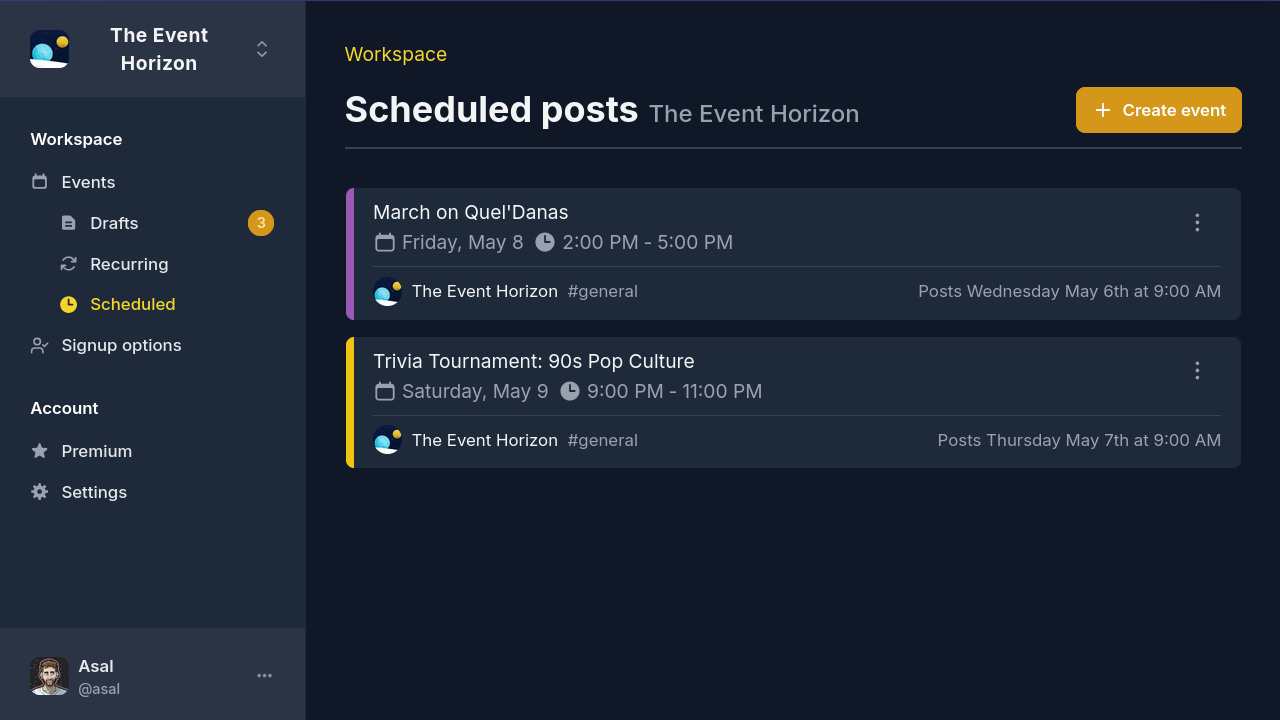
A new Scheduled tab on the dashboard lists every event lined up to post, with the next one going out at the top. Each entry pairs the event with its scheduled post time, so you can see exactly when each post will go out.
Plan a week’s worth of events in one sitting, then let them go live on
their own schedule. And if you’d rather stay in Discord, the /event
command now includes an option to set a post time too.
Scheduled posts use the same retry system as recurring events. If something goes wrong, you’ll get a notification with the option to publish manually.
Scheduled posts are available with Apollo Premium.
Manage attendees from the dashboard
Adding and removing attendees used to mean jumping back to Discord. Each change was its own command, and moves between signup options took two.
A new one-click selector on the event details page now lets you add and remove people across signup options, including bulk changes and moving attendees from one option to another. The same control works on recurring series, applying changes across the whole series at once.
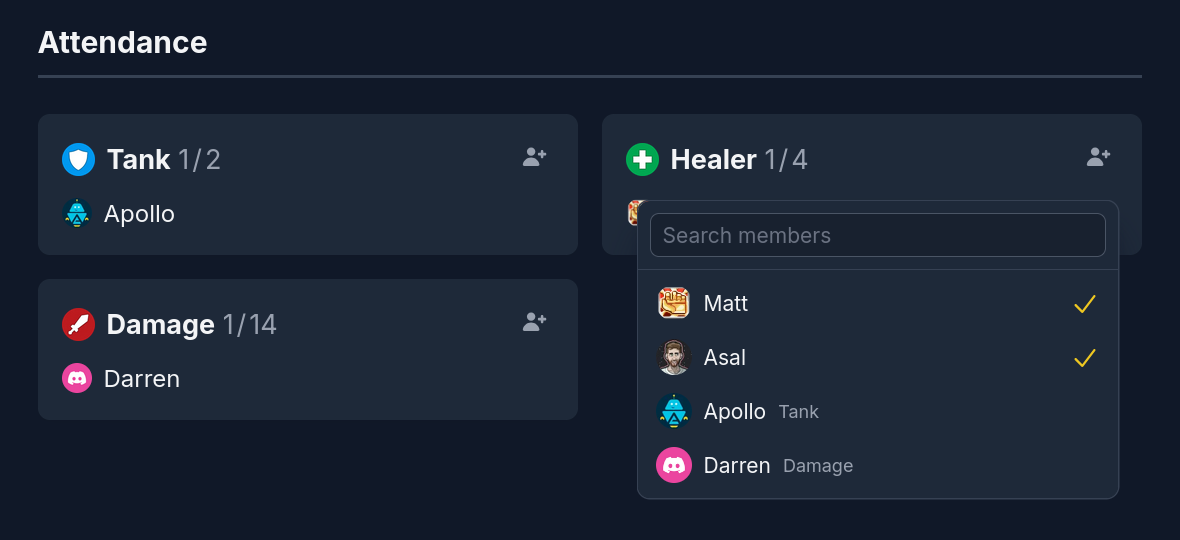
We’ve also added profile pictures to the attendee list. A small touch, but one that brings a bit more life to the page.
Wrapping up
Your feedback is important to us! The dashboard is evolving constantly, and your input helps shape the direction we take. We’d love to hear from you on our Discord server.