

We’re excited to announce the early access launch of Apollo’s web dashboard. Apollo is trusted by over 250,000 Discord servers to manage their events, and starting today, you can use our new web dashboard to make event management even easier.
Why we built a dashboard
At Apollo we aim to create experiences that are a joy to use. Signing up for events within Discord is a great example of this. Most communities prefer keeping everything on Discord, rather than relying on multiple apps. For event organizers however, the simplicity of Discord can be a hindrance.
Creating basic events via Discord is serviceable, but can feel clunky for more advanced events. We strive to streamline the process, but chat based interfaces have their limits. This friction can add up, especially for communities that schedule multiple events a week.
Our initial goal is to simplify the life of event organizers. Features like draft events allow organizers to save their work for later, or to finalize details ahead of time before publishing an event. An overview of upcoming and past events provides a comprehensive overview of a community’s events, breaking free of the size limits of Discord messages.
What to expect in early access
We chose the term “early access” because the dashboard does not yet support the full suite of features Apollo offers through Discord. We could have kept it under wraps for longer, but we believe the current offering already has the potential to provide meaningful value to many communities. Beyond that, community involvement in the ongoing development of the dashboard is something we deeply value.
Early access doesn’t mean compromises on quality; we’ve built something we’re genuinely proud of. Mobile support, light and dark mode, and a clean user interface are just some examples of this.
What you can do today
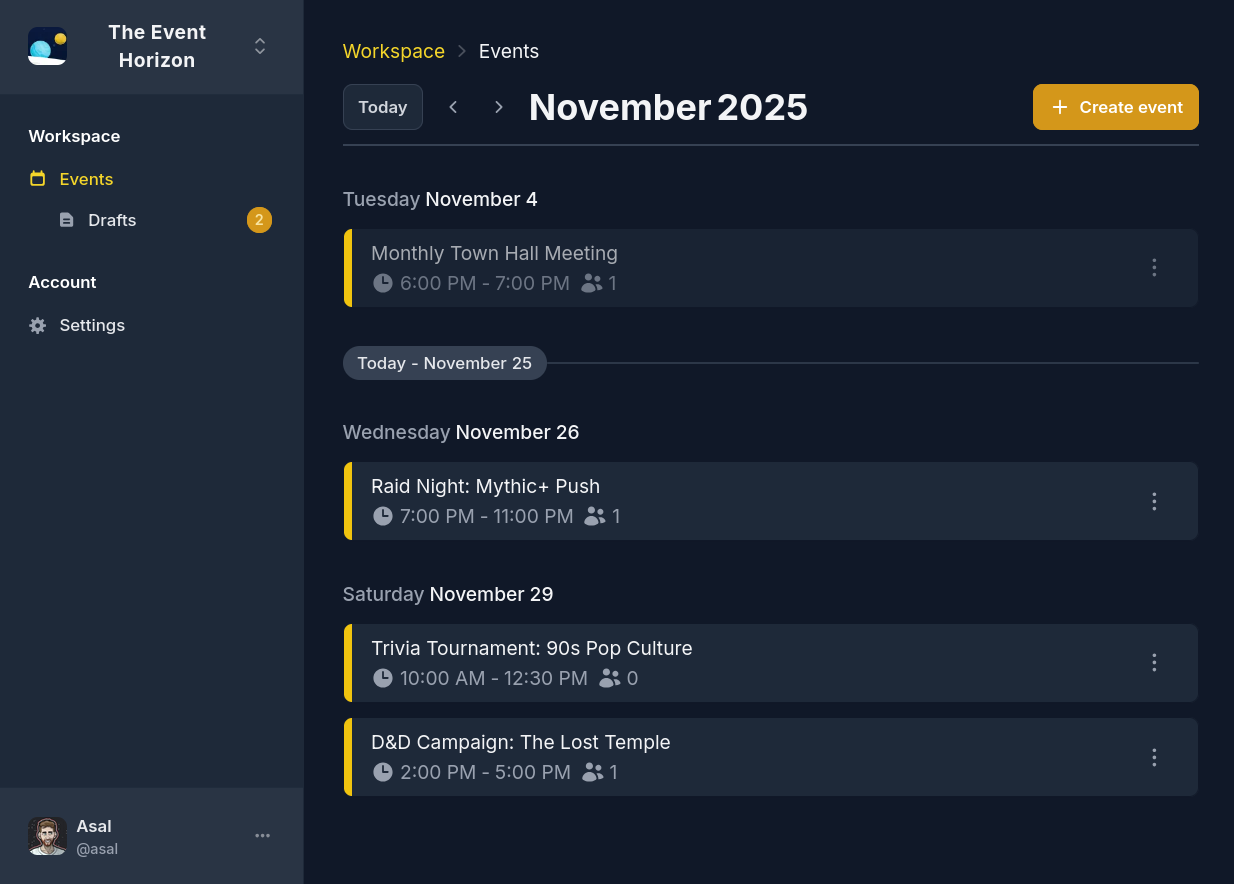
The first thing you’ll see is a month-based view of events. It includes quality of life features like an indicator for events in progress and a button to scroll to the current date. Selecting an event will present the full view, including attendee and wait list information, as well as a link to the event on Discord.
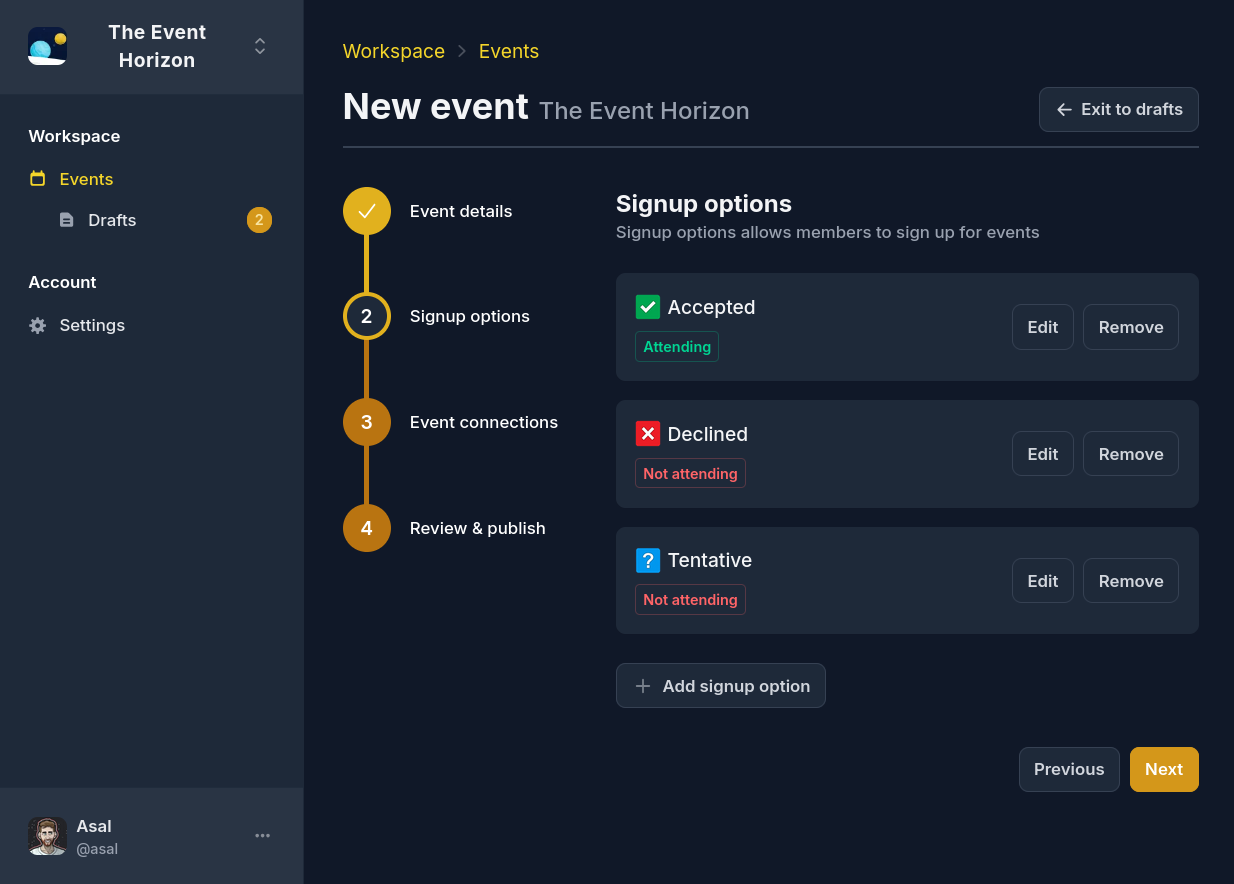
You can create events right from the dashboard. The initial version supports configuring the following during event creation:
- Title & description
- Start & end time
- Signup options (including custom options)
- Reminders (including custom reminders)
- Event mentions
Events created via the dashboard respect existing defaults (such as the default signup preset or default attendee role). Additional event creation features are coming soon.
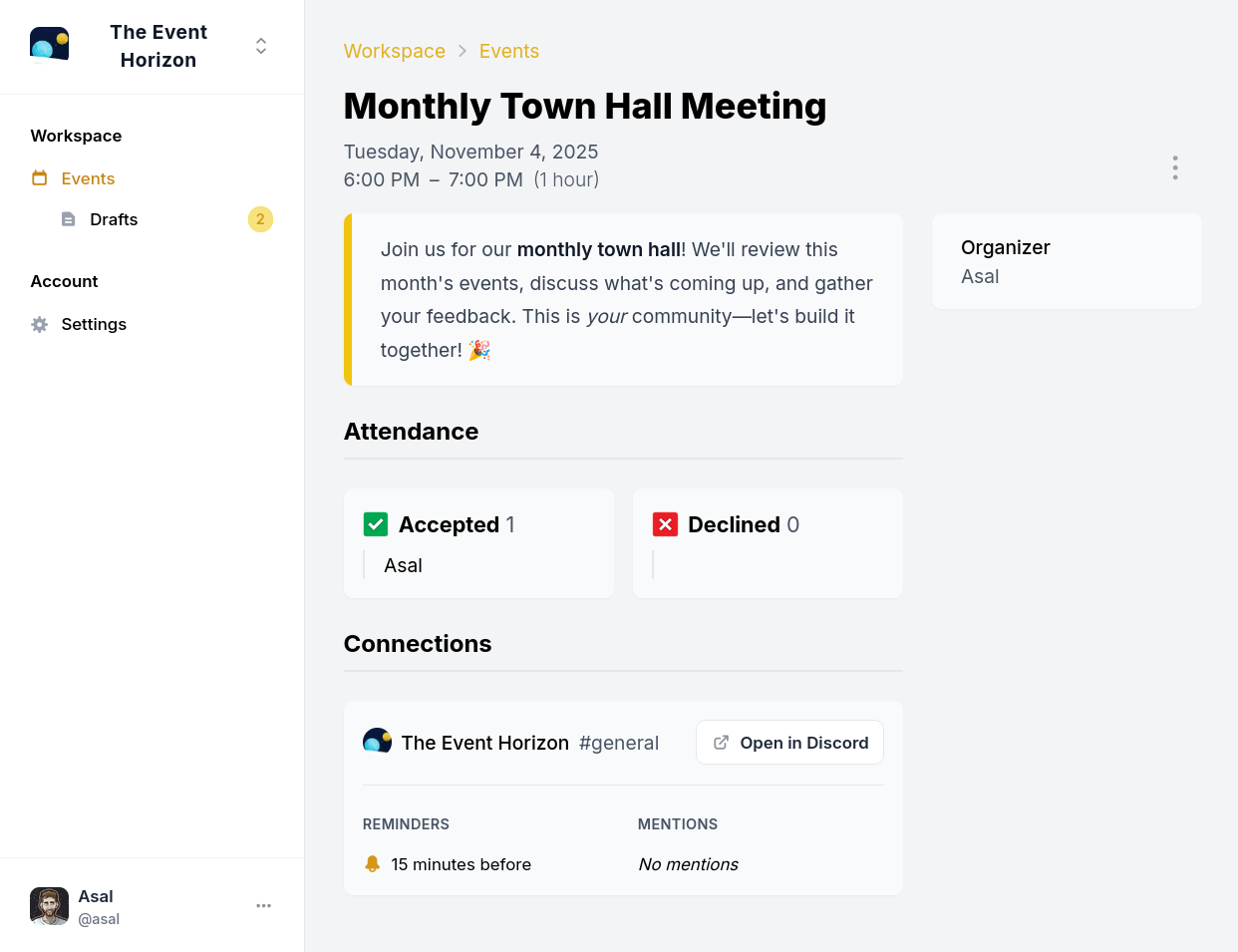
Deleting events is also supported, which removes and archives the respective message and thread on Discord. We’ll soon be adding the ability to archive events, removing them from Discord but keeping them accessible via the dashboard.
A limited history of events is available on the free plan, while Apollo Premium includes unlimited event history.
The dashboard respects Discord’s permission system. If someone can’t see an event in Discord, they won’t be able to see it on the dashboard either. The same applies to creating and deleting events.
The roadmap
During early access we have three main goals:
- Event editing that syncs back to Discord in real-time
- Recurring events support, including the ability to view and manage unposted events
- Feature parity with Discord-based event creation
Once these are complete, we’ll work to make the dashboard more accessible. You’ll be able to sign in from our website, and events posted in Discord will include links to view them on the dashboard.
A dashboard facilitates many other plans we’re excited about, which we’ll share at a later date. The current design might give you some hints already!
To get notified about dashboard updates and new features, subscribe to our newsletter at the bottom of this page.
How to get started
The dashboard can be accessed here, or from the
newly added /dashboard command.
Your feedback is important to us! The dashboard is evolving constantly, and your input helps shape the direction we take. We’d love to hear from you on our Discord server.