

Managing recurring events through Discord commands has always had rough edges. Editing a series meant working within the limits of a chat-based interface, and when things went wrong — a network hiccup, a missed post — it wasn’t always clear what happened or how to fix it. We wanted to do better.
We’re excited to announce that recurring events are now fully supported on the dashboard. Rather than simply porting the existing system to the web, we took the opportunity to fundamentally rework how recurring events are processed and managed.
A dedicated home for recurring events
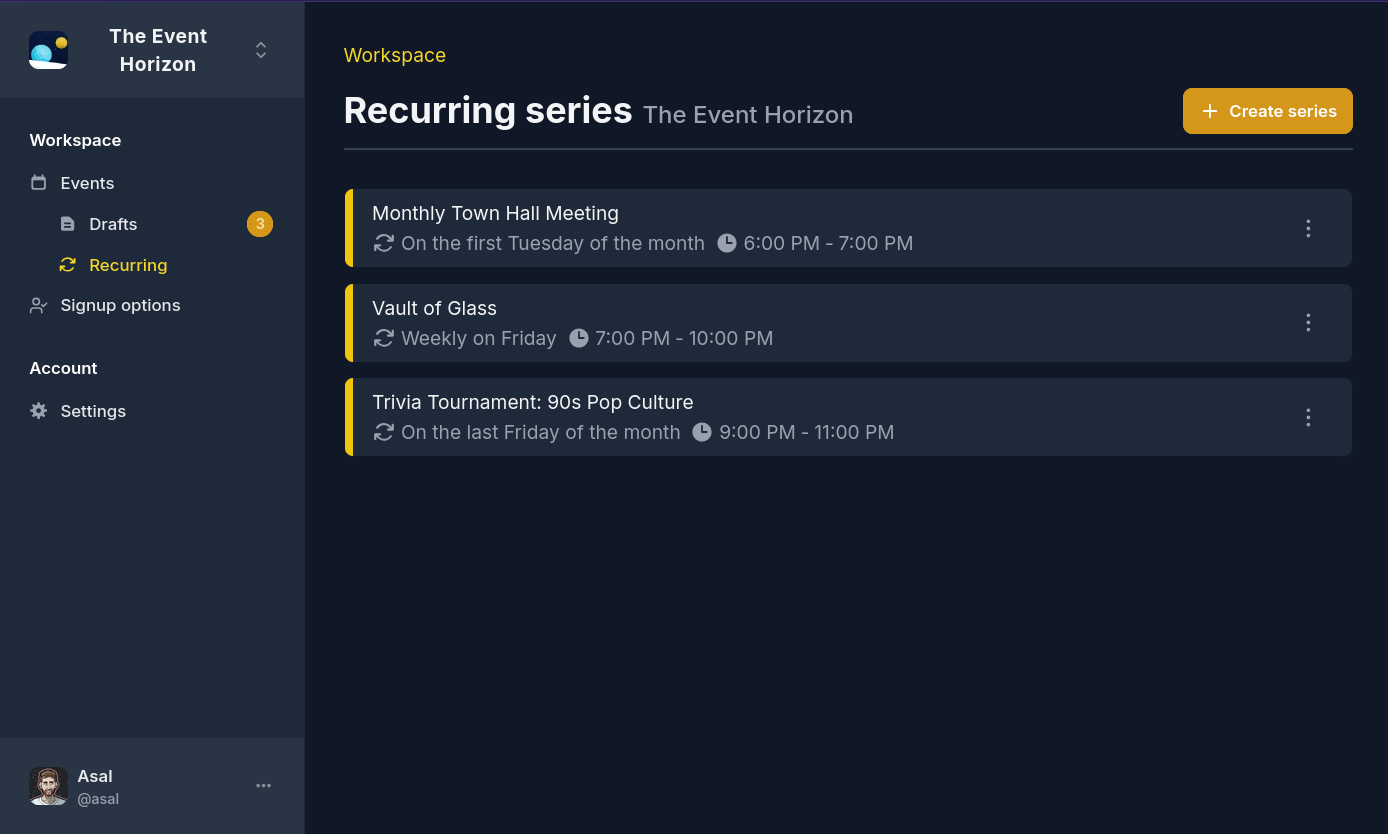
A new Recurring tab on the dashboard gives you a clear overview of all active and inactive series in a workspace, and you can now create recurring events directly from the dashboard.
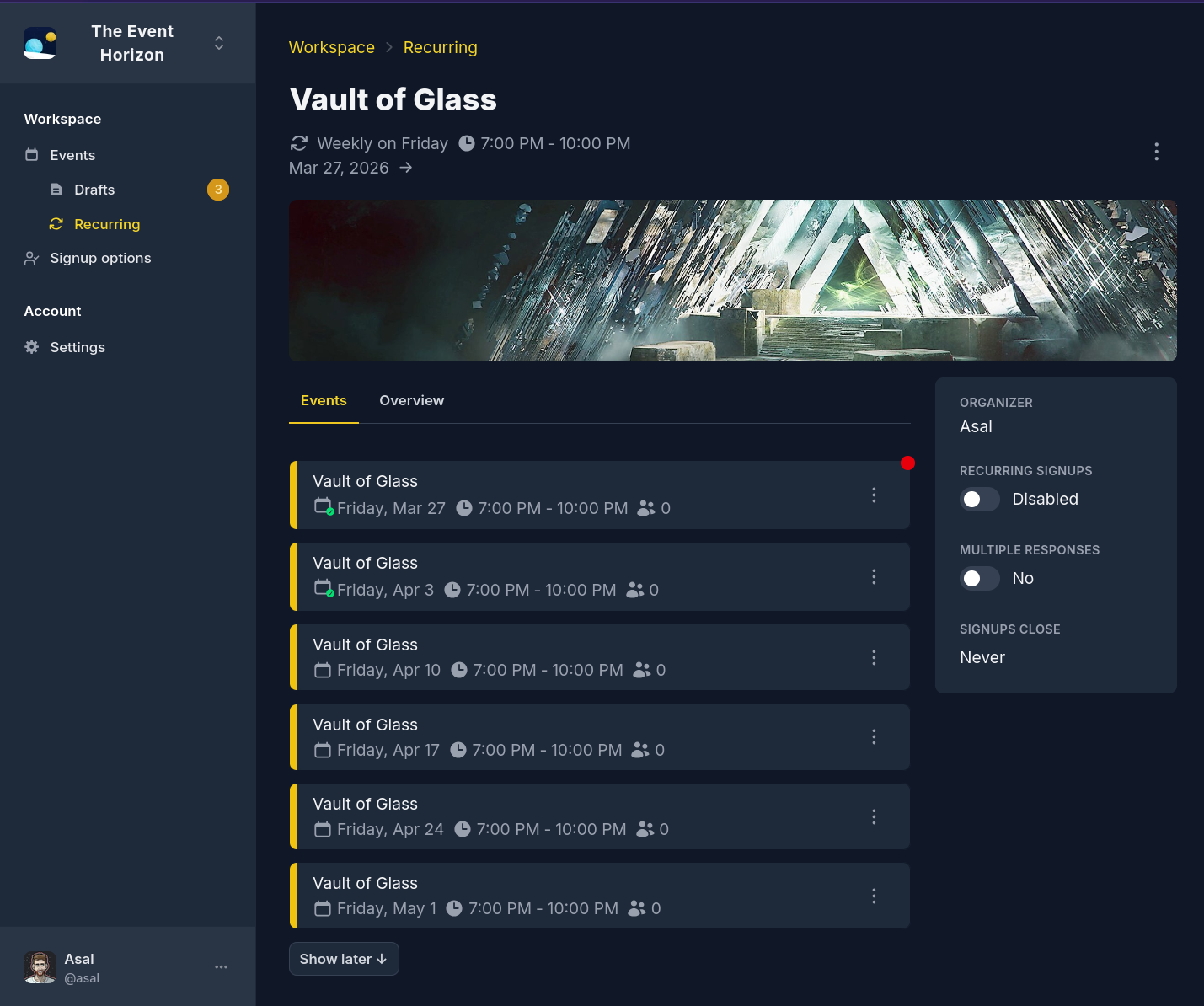
Clicking into a series reveals every event — including events that haven’t been posted yet. From here, you can edit events before they go live, skip upcoming occurrences, or apply changes across the entire series at once.
We’ve also expanded the recurrence options themselves. You can now set an end date for a recurring series, or have it automatically terminate after a specific number of occurrences — something that previously required manual intervention.
Reliability you can count on
One of the biggest improvements is behind the scenes. We’ve added a robust retry system to ensure that network issues don’t result in a missed event. If we still aren’t able to post an event, organizers receive a notification with the option to manually resume the series — from either the dashboard or within Discord itself.
A common pain point with the existing system was that it often wasn’t clear when events would show up. The page for a recurring series now displays the exact time the next event will be posted, and each event in the series shows its own scheduled posting time. No more guessing.
We’ve also extended the upcoming events commands in Discord to include unposted events, matching what you see on the dashboard.
Wrapping up
Managing recurring events from the dashboard is a breath of fresh air compared to the command-based flow. We’re pleased with how this has turned out, and we think you will be too.
Your feedback is important to us! The dashboard is evolving constantly, and your input helps shape the direction we take. We’d love to hear from you on our Discord server.