
If you run a Discord community and need a real event scheduling tool, you’ve probably landed on the same two names: Apollo and Sesh.
Full disclosure: I’m the creator of Apollo, which is trusted by over 300,000 Discord servers.
What they have in common
Both Apollo and Sesh do the core job well — RSVPs, reminders, timezones, event threads, recurring events, Google Calendar integration, and paid tiers that unlock role automation and custom signups. If you run a small community with straightforward event needs, either one will serve you.
The differences start mattering when your events get more complex, your cadence picks up, or your planning moves out of Discord and onto a dashboard.
Apollo highlights
A full-featured Discord experience. Apollo is designed so you can run your event scheduling entirely from Discord if that’s what works for you. Creating events, editing them, changing capacities, adjusting roles, closing signups — all of it works through slash commands and buttons inside Discord.
A dashboard built for planning, not just management. When your events get complex — multiple recurring series, programming planned weeks out, events you want to draft and refine before anyone sees them — Apollo’s dashboard is where that work happens. You get Discord-first and dashboard-first, depending on what the job calls for.
Limited-capacity events with automatic waitlists. Apollo lets you cap signups and automatically waitlist overflow. If your event takes 10 people and someone cancels, the next person on the waitlist gets promoted automatically and notified.
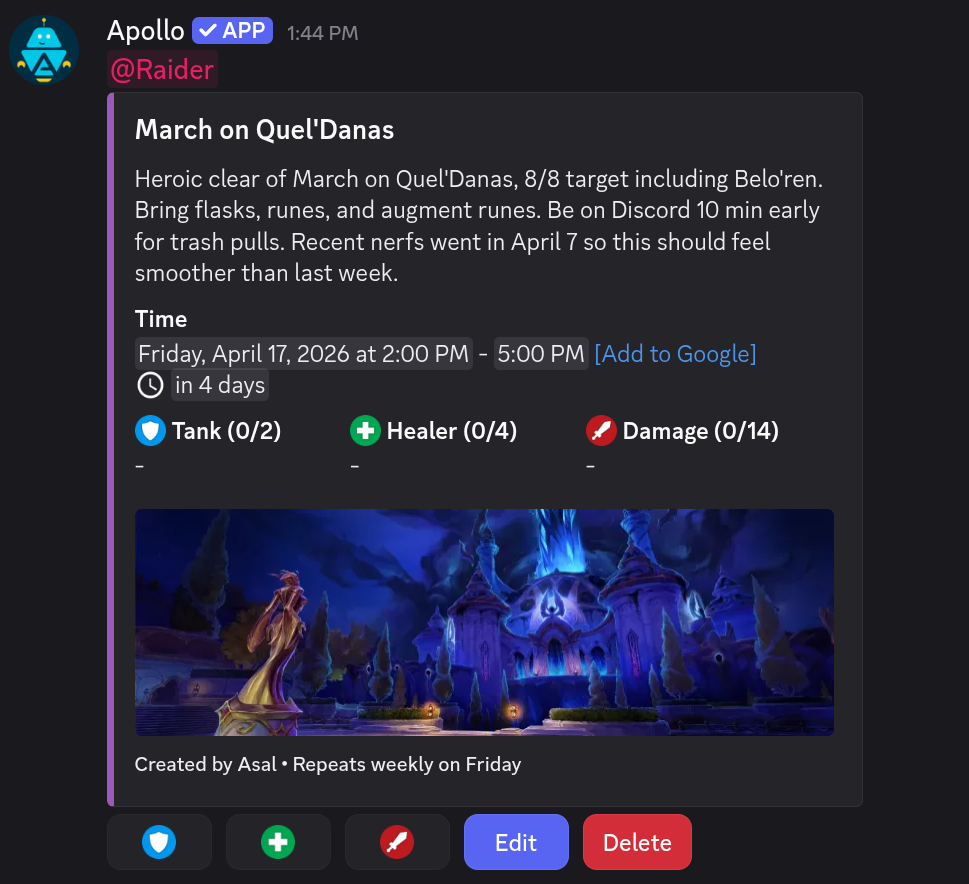
Plan before you publish. Build events as drafts over multiple sittings, see every upcoming event at a glance — including unposted occurrences of recurring series — and edit anything before it goes live in Discord. Discord only ever sees the final version.
Event channels. You can designate specific channels as event channels, and Apollo will keep them focused on events — non-event messages get cleared out so your event channel stays a clean, scannable view of what’s coming up.
Sesh highlights
Streamlined commands. Sesh takes a leaner approach to its command surface, with fewer options to set when creating or editing events in Discord. Advanced configuration — custom RSVP options, recurring schedules, and so on — lives in the dashboard.
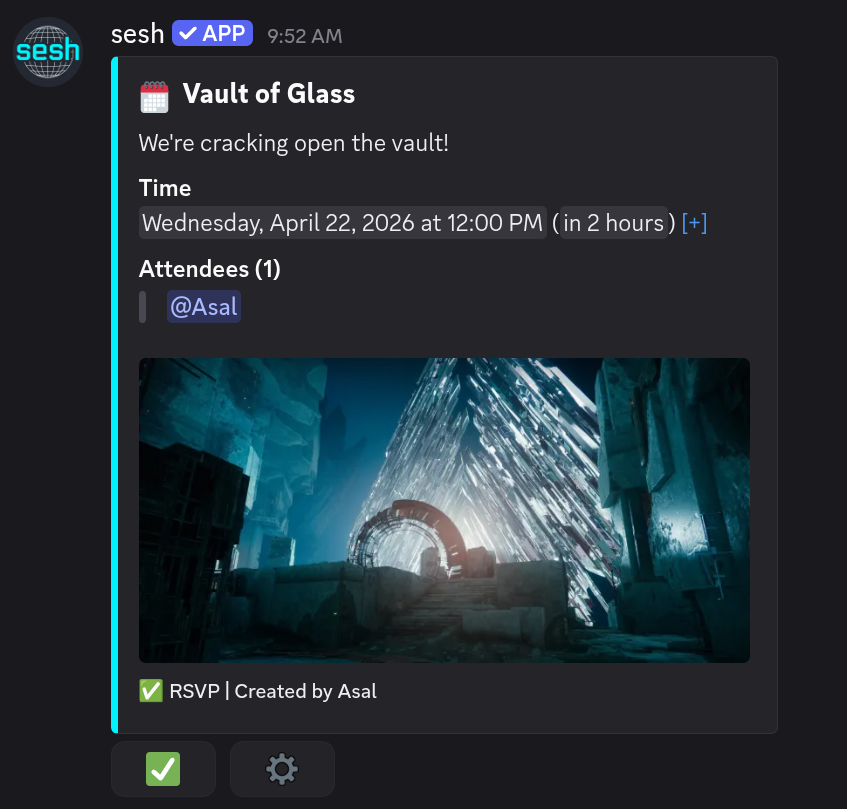
Two-way Google Calendar sync. On their paid tier, Sesh offers full bidirectional sync between Discord events and Google Calendar. Events created in either place stay in sync automatically.
AI-powered event creation. Sesh includes AI commands that let you create events in natural language. You can type something like “schedule a raid for next Tuesday at 8pm” and it’ll parse the details and build the event.
Time Finder. Sesh has a dedicated feature for finding a time that works across a group — members vote on their availability across a set of proposed times, and then the winning slot becomes an event.
API access and webhooks. Sesh’s Pro tier includes API access and webhooks for building your own integrations on top of your events.
The web dashboards
Both Apollo and Sesh have web dashboards — you can run most of your event scheduling from either one without touching Discord slash commands.
Sesh’s dashboard covers the essentials: event creation, premium and server configuration, and a calendar view of what’s coming up.
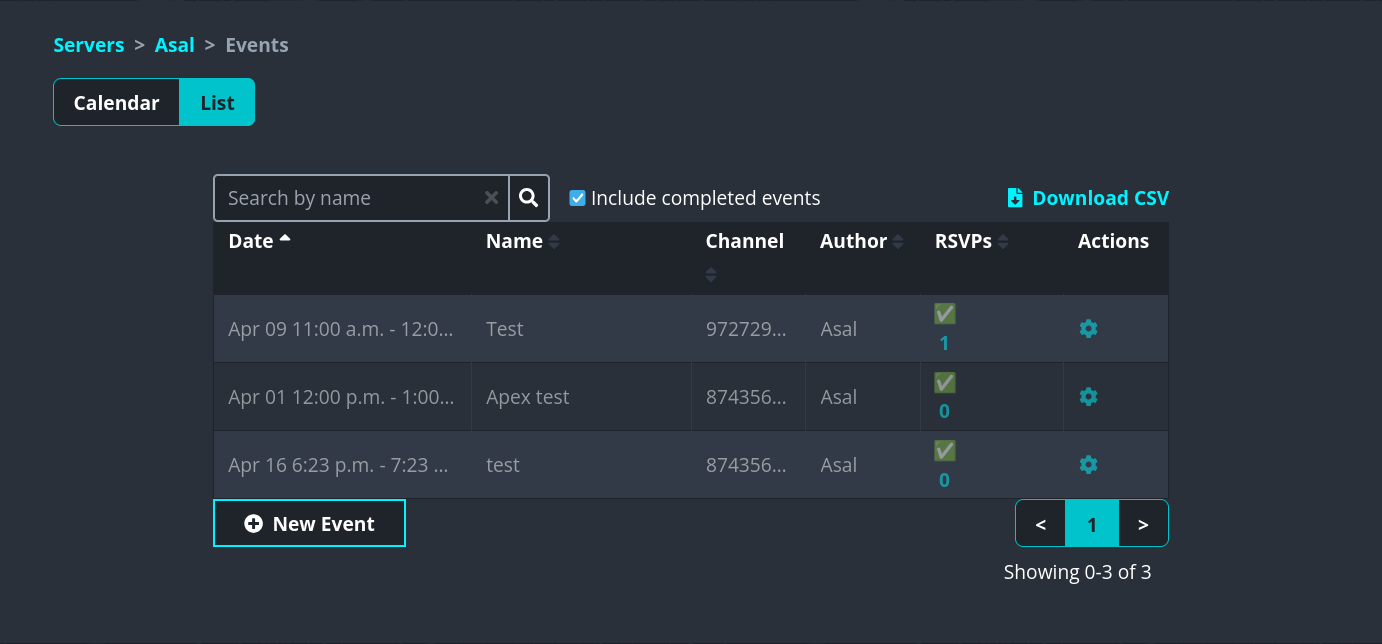
Apollo’s dashboard is a planning tool. If you’re running more than a couple of events a week — multiple weekly recurring series, events in different channels, programming planned a month out — the dashboard is where most of the work happens. You can build events as drafts over multiple sittings, see every unposted occurrence of a recurring series before it goes live, edit a single future occurrence without touching the rest of the series, and work through an entire month of events in one place.

Recurring events
Both tools support recurring events, but they’re packaged differently.
On Sesh, recurring events are a premium feature — you’ll need a paid plan to schedule anything that repeats. On Apollo, recurring events are available on the free tier (up to five active series), with unlimited recurring series on the paid tier.
Apollo’s recurring system includes a few capabilities worth mentioning. You can see every future occurrence in the dashboard — including ones that haven’t posted to Discord yet. You can edit a single occurrence without touching the rest of the series (a one-off time change, a cancelled week, a swapped description). You can also edit the series template and have those changes apply to future unposted occurrences, while leaving already-posted events alone.

On pricing
Both tools have free tiers that cover the basics, and both have premium tiers in roughly the same price range.
- Apollo Premium: $8/mo or $72/yr
- Apollo Premium Pro: $25/mo or $240/yr
- Sesh Premium: $6.99/mo or $58.68/yr
- Sesh Pro: $24.99/mo or $200.04/yr
Pricing as of October 2026. Always check each site for current rates.
What Apollo Premium adds
The free tier runs events well for most communities. Premium is the jump you make when your events need more structure — gated access, richer signups, or more moving parts running in parallel.
Custom signup options. Go beyond Apollo’s built-in templates and define signup options that match how your community runs events — character classes for a raid night, team names for a sim racing league, or meal contributions for a community potluck. Customize the label and emoji for each option so signups feel native to your server.
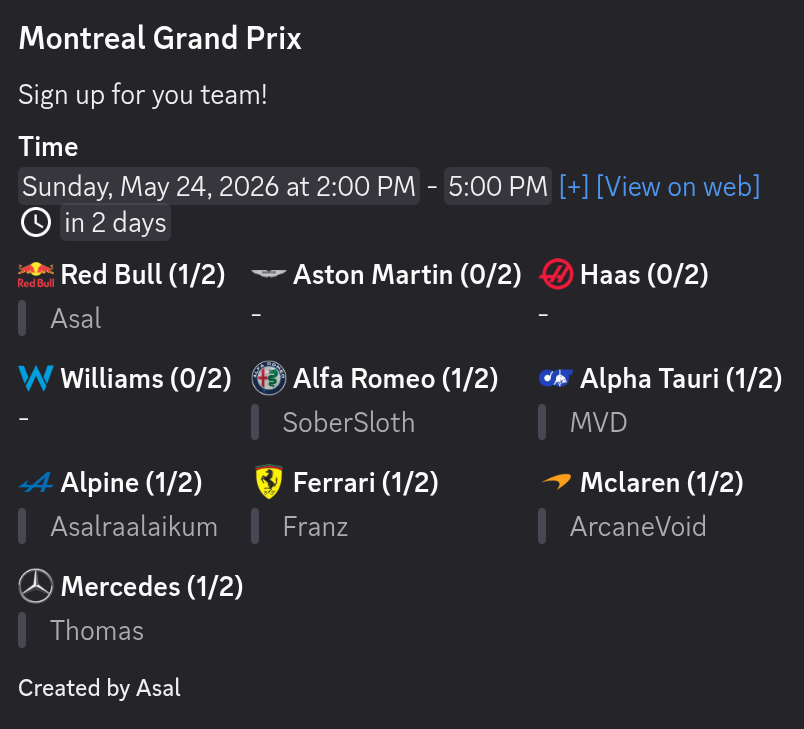
Private and restricted events. Lock event signups to specific Discord roles — officers-only meetings, members-only workshops, role-gated raids. Individual signup options can have their own role restrictions too, so you can reserve specific slots (like a tank spot or a lead role) for the members who should fill them.
Automatic role assignment. When a member RSVPs, Apollo automatically gives them a Discord role. Gate a thread, grant voice channel access, or group attendees for quick mentions — without touching role management by hand.
Unlimited recurring series. The free tier covers five active recurring series. Premium removes the cap, which matters once you’re running raids, study groups, and office hours in parallel.
Up to five reminders per event, with custom messages. Free includes one reminder; Premium lets you stack up to five — a week out, a day out, an hour out — and write your own message for each. More reminders, better attendance, in your community’s voice.
How to pick
A few specific cases where I’d point you one way or the other:
Pick Apollo if:
- Not all of your organizers want to use a web dashboard, and you need the Discord experience to be fully capable on its own
- You run events where spots fill up fast and you want signups and waitlists to manage themselves
- You plan events ahead of time and want to refine the details before anything posts to Discord
- You run weekly or repeating events and want a dashboard to manage them at scale
Pick Sesh if:
- You want a leaner slash command for quick event creation in Discord, with advanced options tucked into the dashboard
- Google Calendar is central to how your community coordinates and you need two-way sync
- You want AI-driven event creation from natural language
- Your community struggles to lock in meeting times and would benefit from Time Finder
- You need API access, webhooks, or white-labeled branding (Sesh Pro)
Either works well if:
- You’re running a small-to-medium community with straightforward event needs
- You want RSVPs, reminders, timezone handling, event threads, and basic role automation
FAQ
Can I use both Apollo and Sesh in the same server?
Yes. There’s no technical conflict, and some communities run both during an evaluation period. In the long run most communities pick one to avoid duplicate events, but there’s nothing stopping you from trying both side by side first.
Do I have to pay to use either bot?
No. Both Apollo and Sesh have free tiers that cover basic event scheduling with RSVPs and reminders. Premium tiers unlock power-user features like custom signup options, restricted events, and attendee roles.
Which one is “better”?
Honestly, it depends on what you need. Both are well-built, actively maintained tools built by people who care about the product. The features you actually use should drive the decision, not a ranking. Pick the one that matches the way your community runs events.